
Delta Executor for Mac: How to Download and Install Delta on macOS
If you use a MacBook or iMac and want to run Roblox scripts, Delta Executor for Mac is what you are looking for. It installs directly on macOS through a simple DMG file, so you do not need an emulator or any complicated setup. This guide shows you how to download it, install it, fix the common security block, and start running scripts. We keep everything simple, so you do not need to be a tech person to follow along.
Delta Executor Mac at a Glance
| Detail | Information |
|---|---|
| Tool Name | Delta Executor for Mac |
| Latest Version | v2.745 |
| Install Type | DMG file, no emulator needed |
| Developer | Delta Team |
| Category | Roblox script executor |
| Price | Free |
| macOS Requirement | macOS 11 or higher |
| Processor | Apple Silicon (M1, M2, M3) or Intel |
| Roblox | Latest version |
| Last Updated | 2 hours ago |
What Is Delta Executor for Mac?
Delta Executor for Mac is a script-running tool that lets you execute Roblox scripts on macOS. In simple words, it injects Lua scripts into Roblox so you can use features like auto farm, teleportation, speed control, and other in-game tweaks.
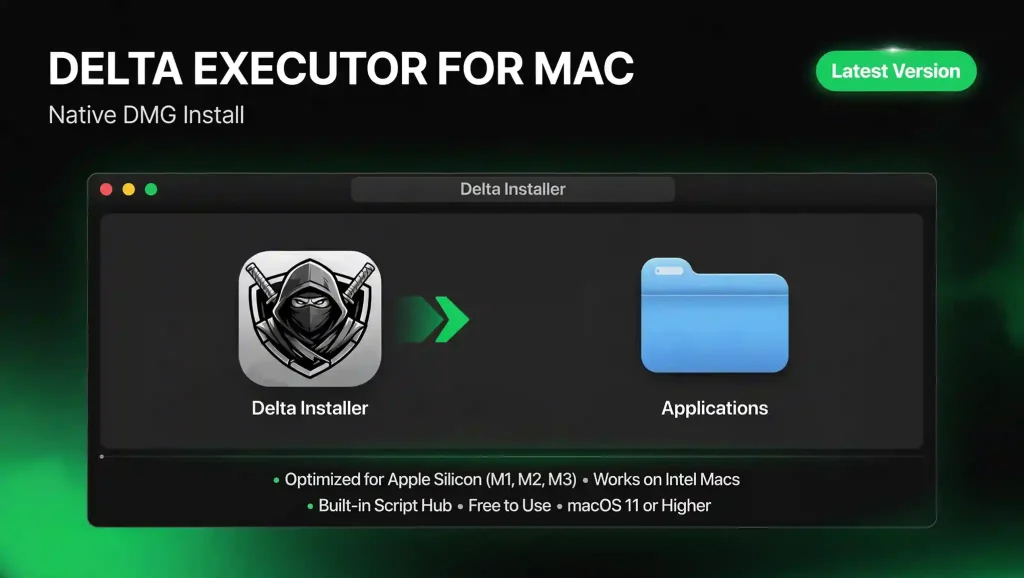
The best part is that it runs natively on your Mac. You download a DMG file, drag it to your Applications folder, and open it like any other Mac app. As a Roblox exploit for Mac, it removes the old hassle of running an Android emulator just to script on a computer.
Key Features of Delta Executor for Mac
Delta comes with a full set of features built for macOS. Here are the main ones.
Mac System Requirements
Before you install, make sure your Mac can handle it. These are the general requirements for the current version.
Requirement | Details |
|---|---|
macOS | macOS 11 or higher |
Processor | Apple Silicon (M1, M2, M3) or an Intel based Mac |
RAM | At least 4 GB of RAM |
Storage | At least 500 MB of free storage |
Roblox | The latest version of Roblox |
Internet | A stable internet connection |
Delta fully uses Apple Silicon for faster script processing, and it still runs smoothly on older Intel Macs.
Installation Method Comparison
There are two ways to run Delta on a Mac. Here is a quick comparison.
| Method | Emulator Needed | Difficulty | Recommended |
|---|---|---|---|
| Native DMG install | No | Easy | Yes |
| Android emulator | Yes | Medium | Only if needed |
The native DMG method is the easiest and the one we recommend. The emulator method is a backup option for those who prefer it or run into issues.
How to Download and Install Delta Executor on Mac
Follow these steps to install Delta on macOS using the DMG file.
- Open the Delta-Executor.gg website on your Mac.
- Click the download for macOS button to start the download.
- Wait for the delta.dmg file to finish downloading.
- Open the DMG file from your Downloads.
- Open the DMG and drag the Delta Installer into your Applications folder.
- Open your Applications folder and launch the Delta Installer.
- If macOS shows a security prompt, approve it using the fix below, then open the installer again.
- In the installer window, click the Install Delta button and wait for the download to finish.
- Once the installation finishes, launch Delta and it is ready to use.
Always download the DMG from the official site. Files from random sources can carry malware or get your Roblox account banned.
How to Fix the macOS Security Block
The first time you open Delta, macOS may block it because it comes from outside the App Store. This is normal and easy to fix.
- Open the Apple menu and go to System Settings.
- Click Privacy and Security.
- Scroll down until you see a message about Delta being blocked.
- Click Open Anyway.
- Confirm with your password if asked.
- Open Delta again, and it will launch normally.
How to Use Delta Executor on Mac
Once Delta is installed, running a script is simple. Follow this order.
- Open Roblox on your Mac and join the game you want to use scripts in.
- Wait for the game to fully load.
- Open the Delta app.
- Click the Attach or Inject button to connect Delta to Roblox.
- Open the script hub or paste your own script into the box.
- Click Execute, and the script will run in your game.
The most common mistake is running a script before Roblox is fully loaded. Always let the game load first, then attach.
Using an Android Emulator as an Alternative
If you prefer the emulator route or run into trouble with the native app, you can use an Android emulator like BlueStacks. Install the emulator, and download the Delta Executor APK inside it, then attach and run scripts the same way you would on a phone. This method uses more system resources and is slower, so the native DMG install is still the better choice for most users. Below is the step by step guide how to use android emulator method to down load and install the delta executor app on macOS.
- Download and install an Android emulator like BlueStacks on your Mac.
- Open the emulator and sign in with a Google account to finish the setup.
- Download the Delta Executor APK.
- Drag the Delta APK into the emulator window to install it, or open it from the emulator’s My Apps.
- Open Delta Executor in the emulator and search the game you want to play.
- Open the Delta app, enter delta key and exploit your favorite game to play with aditional features.
How to Update Delta Executor on Mac
Keeping Delta current is the best way to avoid problems. To update, download the newest DMG file from the official site, open it, and drag the new version into your Applications folder to replace the old one. Then launch it as normal.
Common Delta Mac Errors and Fixes
Even a good executor runs into problems. Here are the most common ones and how to fix them.
- App will not open. This is usually the macOS security block. Use the Open Anyway steps above.
- Script execution errors. Make sure you copied the full script and that it matches the current game. Update the script if it is old.
- Roblox not detected. Restart both Roblox and Delta, and make sure Roblox is fully loaded before you attach.
- Stopped working after a Roblox update. Roblox updates can break executors for a short time. Download the latest Delta version and try again.
- Slow performance. Close background apps to free up memory, especially if you are on an older Intel Mac.
Is Delta Executor for Mac Safe?
Delta is considered safe when you download it from its official site. The risk comes from unofficial sources, since files from those places can carry malware.
A few habits keep you safe:
- Only download from the official Delta website.
- Avoid modified or cracked versions.
- Keep your macOS and Roblox updated.
- Be careful with random scripts, as some are made to steal data.
Keep in mind that using any executor goes against Roblox’s terms of service and carries some risk to your account. It is smart to use an alt account instead of your main one if a ban would bother you.
Pros and Cons of Delta Executor for Mac
Pros | Cons |
|---|---|
Native DMG install with no emulator needed | Some risk to your Roblox account |
Free to download and use | Can break temporarily after Roblox updates |
Optimized for Apple Silicon and works on Intel Macs | macOS may block the first launch until you allow it |
Built-in script hub with a large library | Older Intel Macs may run heavier scripts slower |
Regular updates from the Delta Team | — |
Frequently Asked Questions
Final Words
Delta Executor for Mac gives MacBook and iMac users a native, free way to run Roblox scripts without an emulator. Download the DMG from the official site, allow it in your Mac security settings, and load Roblox before you attach. Keep the app updated, use an alt account, and you will get the smoothest Delta Executor for Mac experience.