
How to Get Delta Executor Key on Mobile
If you use Delta Executor on your phone, you already know it asks for a key before you can run scripts. Getting the Delta Executor key is simple once you know the steps. If you are wondering how to get Delta Executor key access on your device, you are in the right place.
This guide walks you through the whole process for Android and iPhone, explains why the key exists, and shows you how to fix the most common problems. We keep everything simple, so you do not need to be a tech person to follow along.
Delta Executor Key Quick Facts
| Detail | Information |
|---|---|
| What it is | An activation code to run scripts in Delta |
| Price | Free |
| Validity | 24 hours, then you get a new one |
| Needed on | Android and iOS |
| Needed on PC | No |
| Verification | Linkvertise and similar ad link services |
| Official generator | None; the key comes from inside the app |
What Is the Delta Executor Key?
You might ask, what is a Delta Executor key and why do you need one? The Delta Executor key is an activation code that unlocks script execution in the app. Think of it as a daily pass for the Delta executor on your phone. Without a valid key, Delta will not let you inject or run scripts on your phone. Once you enter a working key, you can use the executor normally until the key expires. The key is free. You just have to complete a short verification step to get it.
Why Does Delta Executor Use a Key System?
The key system is how Delta stays free. When you complete the verification step, you pass through an ad link service, and that ad revenue funds the tool. In short, the key lets the Delta Team keep the executor free for everyone instead of charging a subscription.
The key system also cuts down on misuse and keeps the servers from being overloaded by bots, since every user has to pass a quick human check.
How the Delta Executor Key System Works
The idea is straightforward. You ask the app for a key, it sends you to a verification page, you complete a few simple steps, and it hands you a unique code. You paste that code back into Delta, and you are in.
Each key lasts about 24 hours from the time it is generated. After that, it stops working, and you repeat the process to get a fresh one. This daily reset is normal and applies to all mobile users.
How to Get Delta Executor Key on Android
Follow these steps to get your Delta key on an Android phone.
- Open the Delta Executor app.
- Tap the Get Key or Receive Key button.
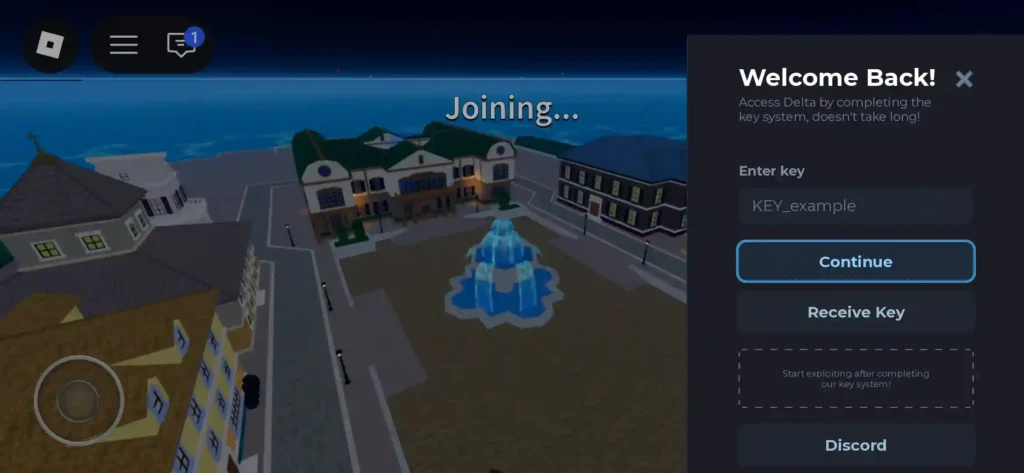
- A link will open. Copy it or let it open in your browser.
- Complete the verification tasks on the page, such as clicking Continue and waiting for the short timers.
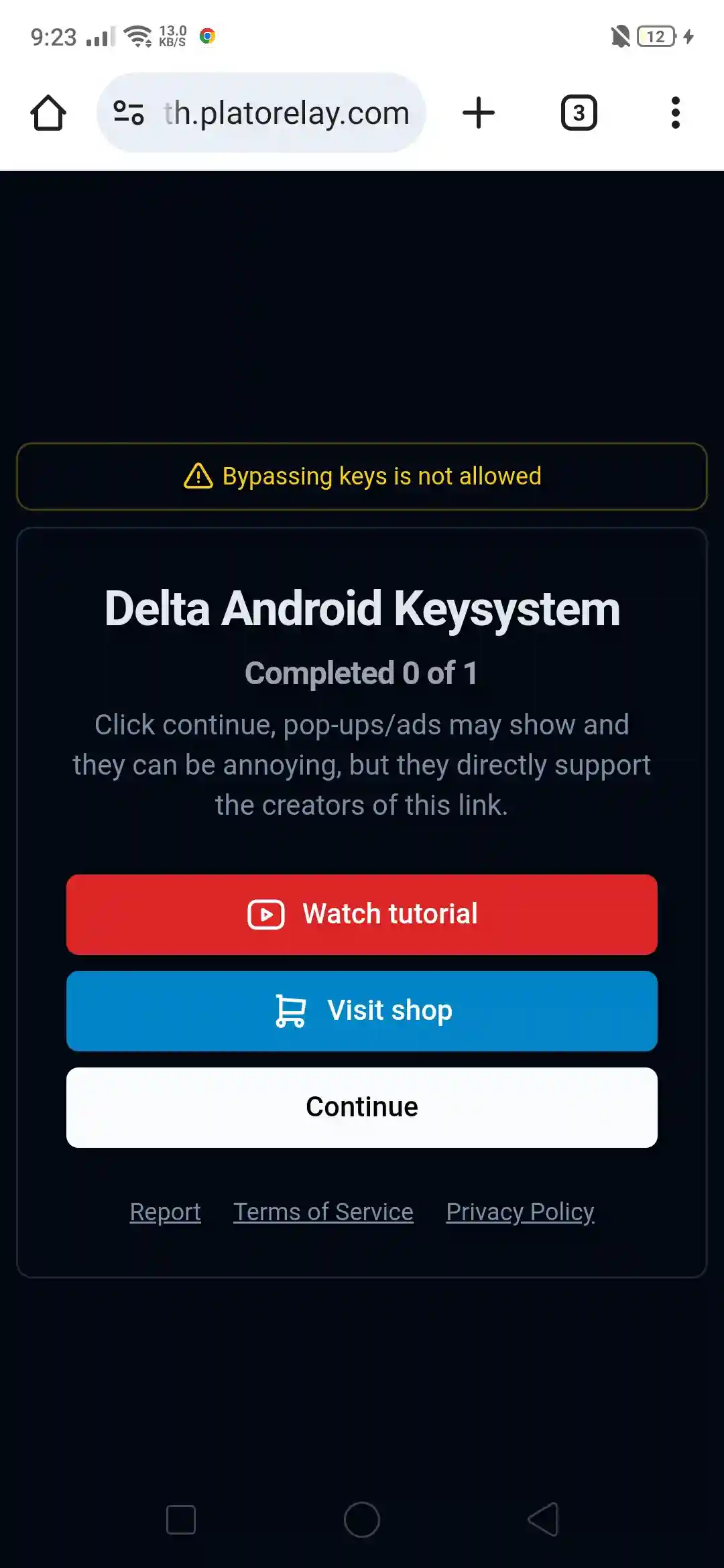
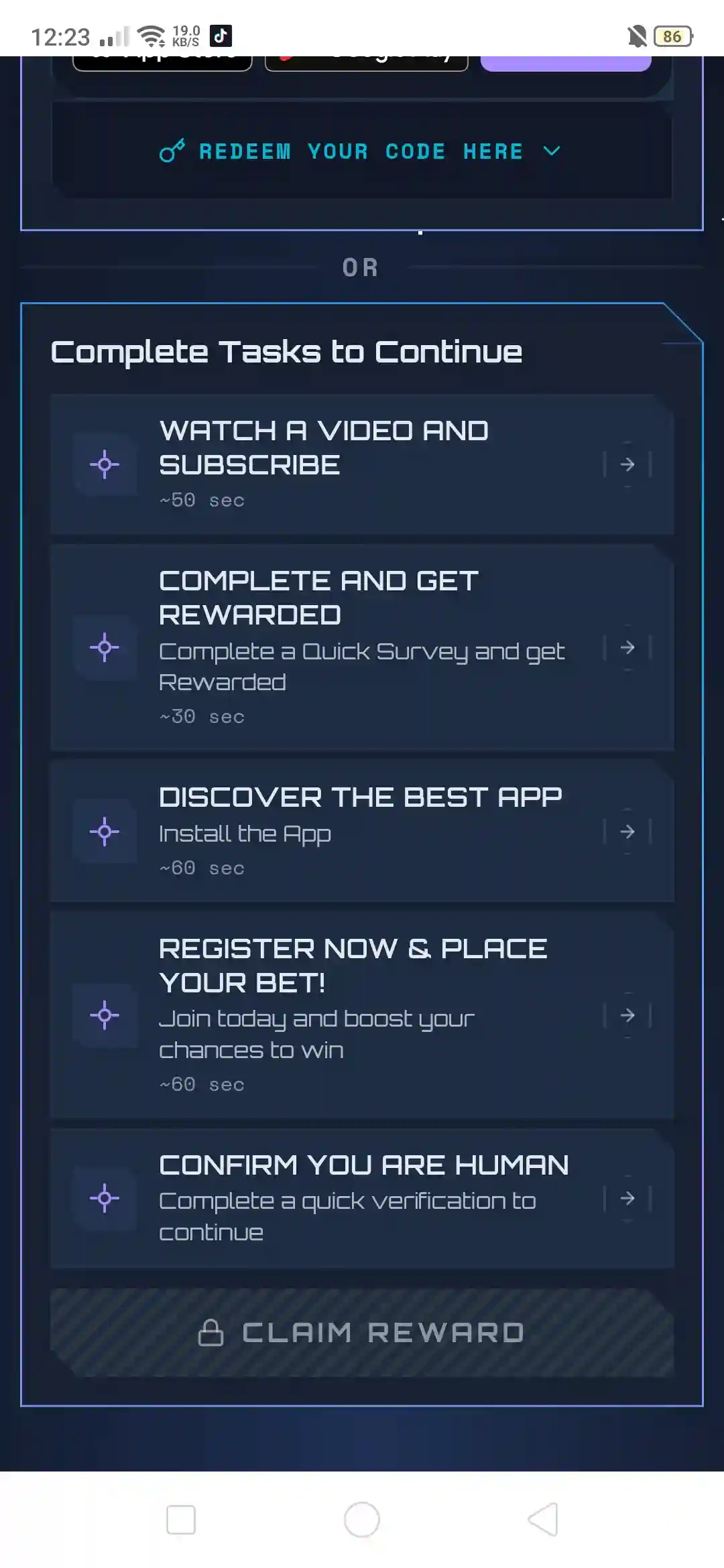
- Complete the task by watching ads and completing other tasks.
- Now click on the Claim Reward Button.
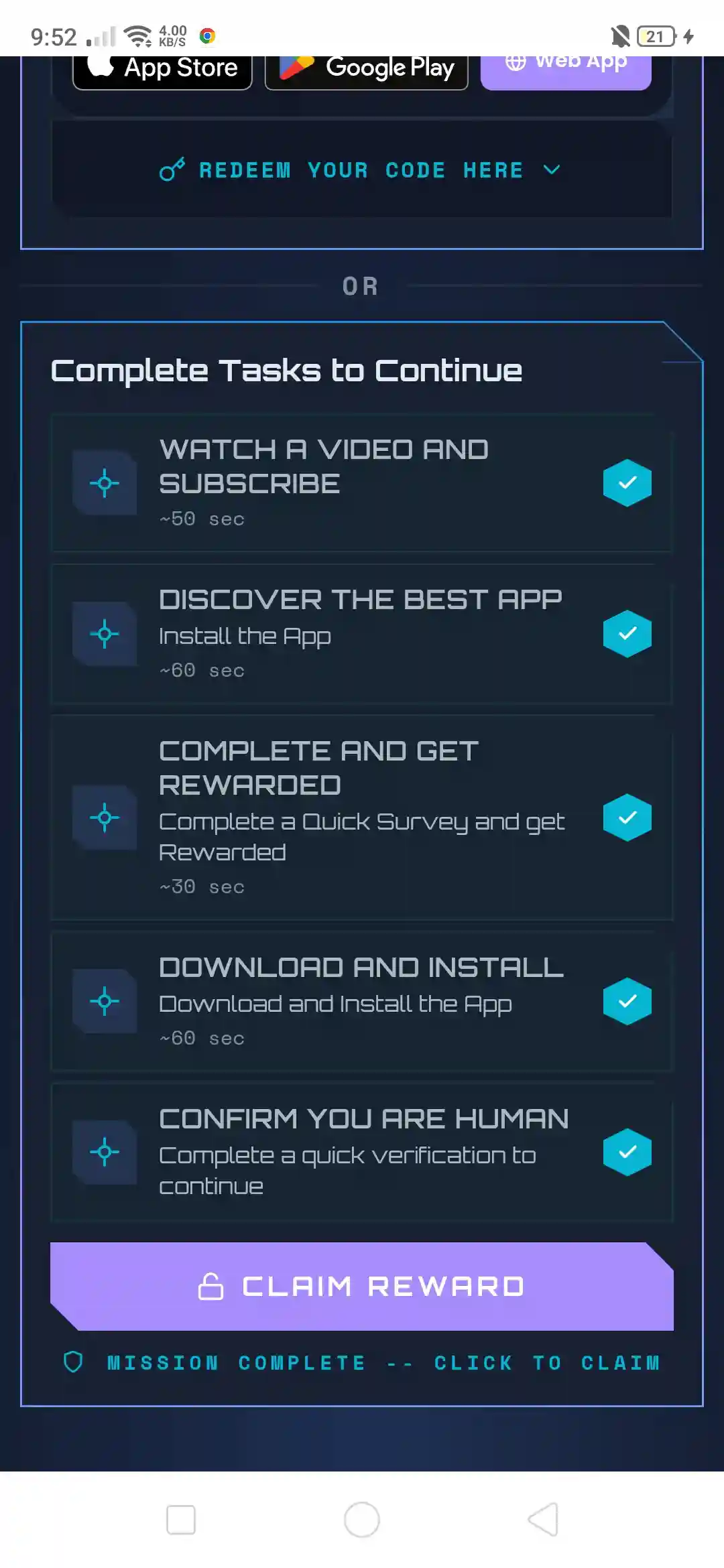
- Copy the key that is shown to you.
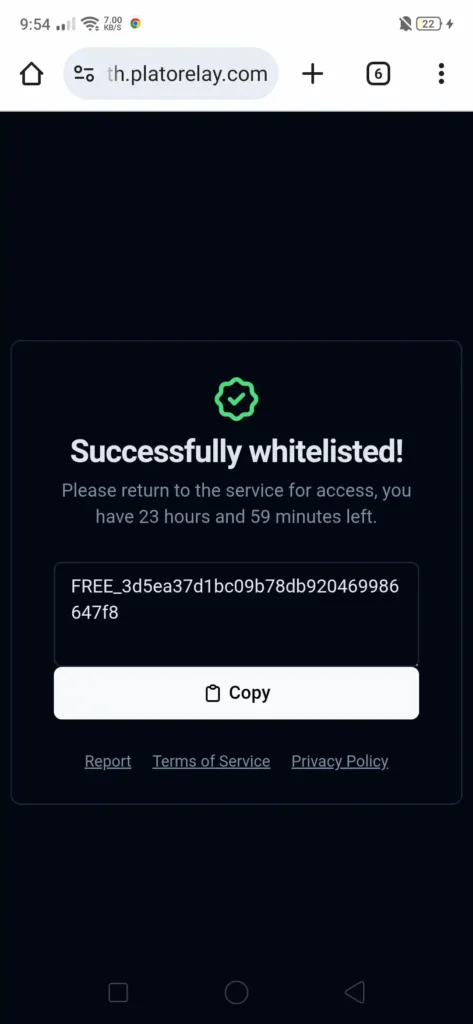
- Go back to Delta and paste the key into the box.
- Tap Confirm and start running your scripts.
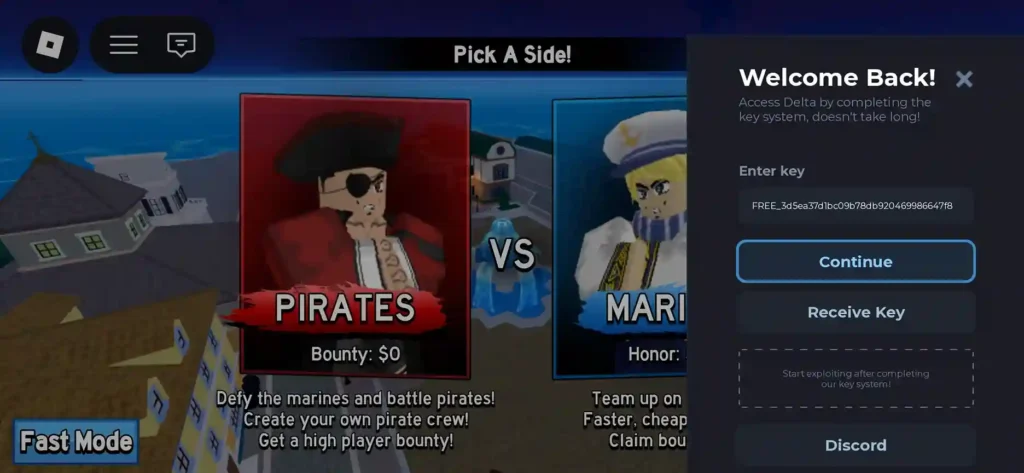
Keep your internet on during the whole process, and do not close the browser tab until you have copied the key.
How to Get Delta Executor Key on iPhone and iPad
The steps for iOS are almost the same, but you use Safari.
- Open the Delta app on your iPhone or iPad.
- Tap Get Key or Receive Key.
- When the link opens, complete the verification tasks in Safari.
- Wait for the timers and tap through until the key appears.
- Copy the key.
- Return to Delta and paste it into the key box.
- Confirm, and you are ready to script.
Do You Need a Delta Key for PC?
It depends on how you run Delta on the PC. The old native Windows build was keyless, but that version is down and unreliable. Most players now use an Android emulator, which runs the mobile version of Delta, so it needs the same daily key you would use on a phone. In short, if you use the emulator method, you do need a key on the PC too.
About Linkvertise and the Other Verification Platforms
When you tap Get Key, Delta usually sends you to Linkvertise, which is a link shortener and ad platform. Depending on your region, you might also see services like LootLabs, LootLink, AdMaven, Lockr, or Rekonise. They all do the same job. You view a couple of ads or complete a short task, and the service confirms you are a real user before giving you the key.
These platforms are used by many websites and are generally fine to use. Just avoid clicking anything that tries to install software or asks for your Roblox login.
How Long Does the Delta Key Last?
A Delta key is valid for about 24 hours from the moment it is generated, not from when you first use it. So if you make a key in the afternoon, it will usually stop working by the next afternoon.
One helpful detail is that if your key expires while you are already in a game, you can keep playing that session. You only need a new key the next time you open the app.
Is There a Delta Key Generator?
The only real Delta key generator is the Get Key button inside the app. That in-app process is what creates your unique code through the verification page. There is no separate official tool that spits out unlimited keys.
Be careful here. Many websites promise a free Delta key generator, instant keys, or a keyless version. Most of these are fake and can install malware or steal your Roblox account. If a site asks for your password or pushes you to download a random file, close it. Stick to getting your key inside the official app.
Common Delta Key Problems and Fixes
Here are the issues players run into most and how to solve them.
- Key says invalid or expired. Your key is likely older than 24 hours. Generate a new one.
- Stuck in a Linkvertise loop. Turn off your ad blocker, refresh the page, and complete the steps in order without skipping.
- Invalid visit detected. Start the link fresh from the app instead of an old tab, and avoid opening it many times at once.
- Too many requests. Wait a few minutes and try again, since the service limits rapid attempts.
- Key will not copy. Copy it slowly and make sure you grab the full code with no extra spaces.
- The verification page will not load. Check your internet, try a different browser, and disable any blocking extensions.
Tips for Getting Your Delta Key Faster
A few small habits make the process smoother.
- Use a clean browser like Chrome or Safari without heavy ad blockers.
- Complete the steps in order and be patient with the timers.
- Keep a stable internet connection during verification.
- Only use the link that comes from inside the app.
Is the Delta Key Safe to Get?
Getting the key through the app is safe. The ad platforms are normal, and the only real risk comes from fake key sites and shady downloads. To stay safe, only get your key from inside the official Delta app, never enter your Roblox password on a key page, and avoid any tool that claims to bypass or generate keys for free.
Remember that using any executor still goes against Roblox’s Terms of Service, so a secondary account is a smart choice if a ban would bother you.
Frequently Asked Questions
Final Words
Getting the Delta Executor key is quick once you know the steps. Open the app, tap Get Key, complete the short verification, and paste the code back into Delta. Keys last 24 hours, so you repeat the process daily. Always get your key from inside the official app, skip the fake generator sites, and you will keep your account and device safe while you script.